How do you connect with your audience or share information in an instant, without friction?
Both NFC (Near Field Communication) and QR (Quick Response) codes offer powerful ways to create digital links for your business. These technologies streamline information sharing and enhance user experience.
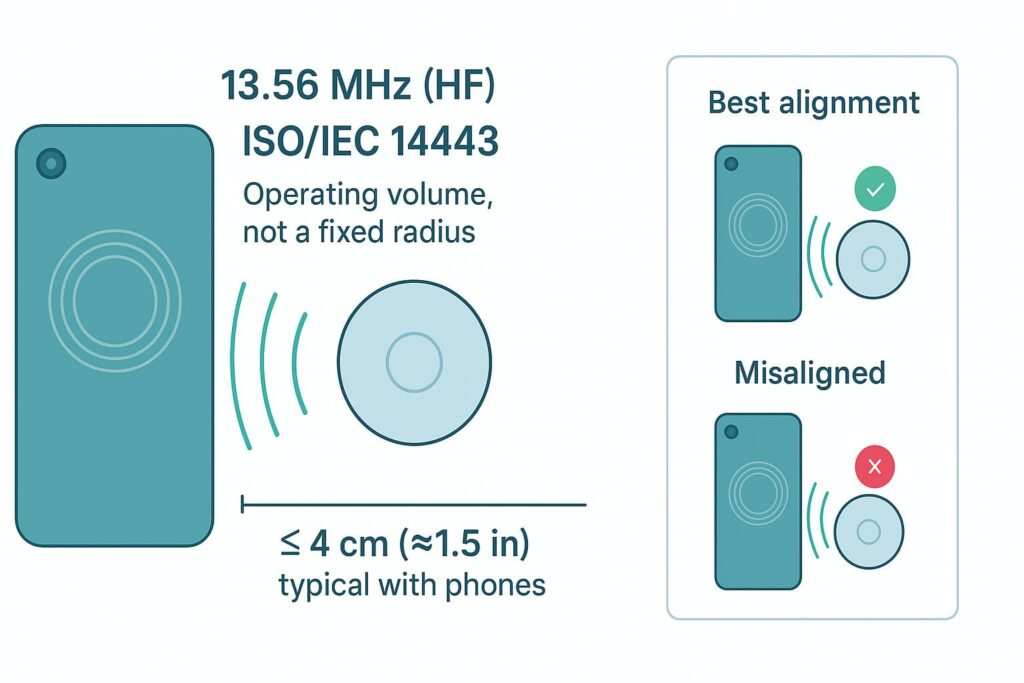
NFC allows for data exchange between devices in close proximity, typically within a few centimeters, without requiring pairing or a camera scan. In contrast, QR codes are two-dimensional barcodes readable by smartphone cameras, linking to URLs or other digital data.
While both technologies reduce manual input and improve interaction, the optimal choice between NFC and QR codes depends on your specific business needs, your target audience’s interaction preferences, and the desired user experience.
Understanding NFC: Tap-and-Go Connectivity
NFC technology facilitates short-range wireless communication between two compatible devices when they are brought within a few centimeters of each other. It operates on the principle of electromagnetic induction, allowing passive NFC tags to be powered by the reader device’s field.
This means that an NFC-enabled smartphone or device can interact with an NFC tag without the tag needing its own power source.
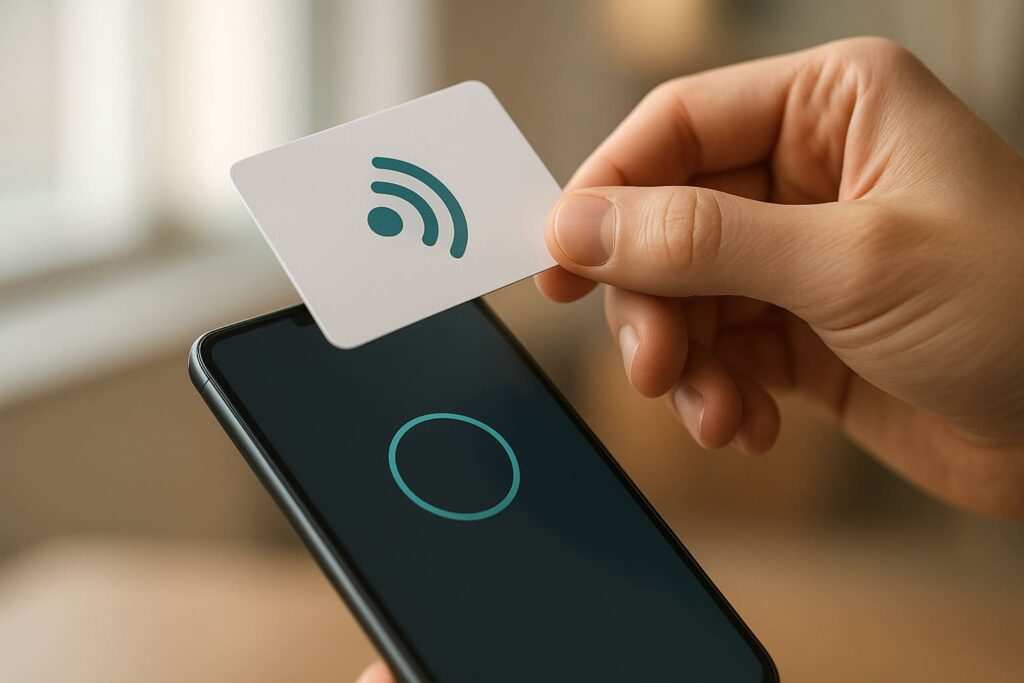
A key advantage of NFC is its simplicity; users typically do not need to open an app or pair devices to initiate an interaction. This offers a fast and seamless user experience, often perceived as more sophisticated than scanning a visual code.
Many users are familiar with NFC through contactless payment systems, making the ‘tap’ interaction feel intuitive and modern. NFC tags can be embedded discreetly into various objects, from business cards to product packaging.
These tags can be programmed to perform various actions, such as opening a website, sharing contact information, or triggering an app, like sending new contacts to a CRM system. For a detailed guide on automating contact management, see Send New Contacts to HubSpot: The Complete No-Code Walkthrough.
Limitations include the very short read range, which requires physical proximity, and the need for specific NFC-enabled hardware (tags) for deployment. Most modern smartphones support NFC, but it’s always good to verify device compatibility.
Requirements for NFC Interaction:
- An NFC-enabled smartphone or device (most modern smartphones support NFC).
- An NFC tag (passive or active, depending on the application).
- Content or action programmed onto the NFC tag.
Verifying NFC Functionality:
To ensure your device is ready for NFC interactions, follow these steps:
- Check if your phone has NFC enabled:
- Where: Navigate to your device’s settings. For Android, look under “Connected devices” > “Connection preferences” > “NFC”. For iOS, check for Apple Pay/Wallet functionality, as NFC is integrated with these features.
- Expect: The NFC toggle should be ‘On’ or Apple Pay should be set up.
- If missing: Update your device software or check your device specifications to confirm NFC hardware is present.
Understanding QR Codes: Scan-and-Link Versatility
Moving from the tap-and-go world of NFC, let’s explore the scan-and-link versatility of QR codes.
QR codes are matrix barcodes that can store a significant amount of information, including URLs, text, contact details, and more. They are read by scanning with a smartphone camera, which then decodes the information and typically directs the user to a linked digital resource.
QR codes gained significant traction during the pandemic for contactless interactions, making them a widely recognized and accepted technology.
A major advantage of QR codes is their widespread compatibility; almost any smartphone with a camera can scan them. Their visual nature makes them easily recognizable and scannable from a distance, offering high versatility.
With dynamic QR codes, content can be updated without reprinting the code, and detailed tracking of scans is often available.
Many free online tools exist for generating basic QR codes, making them accessible for businesses of all sizes. However, challenges include the need for a clear line of sight and good lighting for scanning, and the potential for visual clutter if not designed well.
The visual nature of QR codes also allows for creative integration into marketing materials, packaging, and signage.
Requirements for QR Code Interaction:
- A smartphone with a camera.
- A QR code reader app (often built into the camera app on modern smartphones).
- A generated QR code linking to desired content.
Verifying QR Code Functionality:
To ensure your device can scan QR codes, follow these steps:
- Check if your phone’s camera can scan QR codes directly:
- Where: Open your phone’s default camera app and point it at a known QR code.
- Expect: A notification or prompt should appear to open the linked content.
- If missing: Check your camera settings for a ‘Scan QR codes’ option or download a dedicated QR code reader app. For troubleshooting specific issues, especially if NFC Works on Android but Not on iPhone: A Complete Troubleshooting Guide, ensure your QR code setup is robust.
Direct Comparison: NFC vs. QR Code Key Differences
With an understanding of both NFC and QR codes, a direct comparison highlights their key differences. When evaluating NFC vs. QR codes for business applications, understanding their core distinctions is crucial for making an informed decision.
Both technologies serve as digital links, but their interaction methods, implementation costs, and user experiences vary significantly.
Key Differences: NFC vs. QR Code
- Interaction Method
- NFC offers a seamless, tap-based interaction. A user simply taps their smartphone against an NFC tag, and the action is initiated instantly.
- QR codes require scanning with a camera. The user must open their camera app, point it at the QR code, and wait for the link to be recognized.
- Cost-Effectiveness
- QR codes are generally more cost-effective to implement at scale. Generating a basic QR code is often free, and the primary cost comes from printing it on marketing materials, business cards, or signage.
- NFC implementation involves the purchase of NFC tags, which typically have a higher per-unit cost than printing a QR code, especially for large quantities.
- Data Storage and Flexibility
- NFC tags typically have lower data storage capacity for direct embedding, often linking to online content, similar to QR codes.
- Both can link to dynamic content, allowing for updates without changing the physical tag or code. However, dynamic QR code platforms often come with built-in analytics and management tools.
- Visibility and Integration
- QR codes are visually present and can be integrated into designs, making them a visible call to action for marketing campaigns, events, or retail displays.
- NFC, on the other hand, is often hidden or subtly indicated by an NFC logo. This can offer a cleaner aesthetic but requires users to know where to tap.
- Tracking and Analytics
- Both technologies can be tracked to some extent. QR code analytics are often more readily available through online generators and platforms, providing insights into scan rates, locations, and times.
- NFC tracking typically requires integration with specific backend systems. For best practices in design and functionality, consider QR Code Best Practices for Cards: Size, Contrast, Error Correction.
For a business looking to engage customers, a smartphone can interact with both. For a marketing campaign, a QR code offers broad visibility, while for a premium retail experience, NFC provides a modern, instant connection.
Choosing for Business Cards: Making Your Contact Digital
Beyond general applications, the choice between these technologies becomes particularly relevant for specific uses, such as business cards.
For professionals seeking a modern, memorable way to share contact details, the decision between NFC and QR codes for business cards is a key consideration. Both offer distinct advantages, and the desire for a ‘wow’ factor often influences the choice.
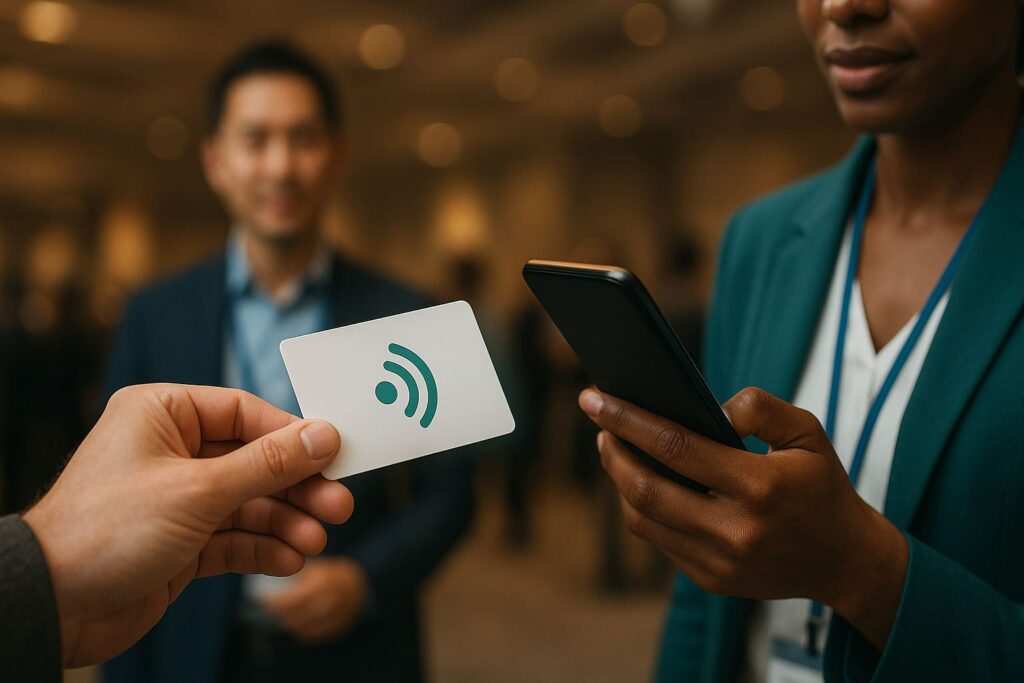
NFC business cards provide a premium, instant exchange experience. With a simple tap, contacts can save information, open a digital portfolio, or connect on social media. This contactless nature creates a memorable first impression, often perceived as innovative and sophisticated.
However, the cost per card for NFC-enabled business cards is typically higher than for cards with only a printed QR code.
QR codes on business cards offer broad compatibility and the flexibility to link to dynamic content like a digital portfolio, LinkedIn profile, or vCard. Almost any smartphone can scan a QR code, ensuring wider accessibility.
A common mistake is printing static QR codes with outdated information; dynamic QR codes allow for content updates without reprinting cards, ensuring the digital link remains active and updated. If you encounter issues with NFC opening the wrong app, troubleshooting steps are available in NFC Opens Wrong App? How to Change NFC Default App & Reset NFC App Preferences.
Many businesses find value in a hybrid approach, incorporating both an NFC chip and a QR code on their business card. This caters to all preferences and devices, offering the premium tap experience for NFC-enabled phones and the universal scan option for others.
Beyond Business Cards: Strategic Applications
The utility of NFC and QR codes extends far beyond business cards, offering strategic applications across various industries. Understanding these diverse uses can help businesses leverage the right technology for their specific goals.
- Retail: In retail, NFC can facilitate quick product information access, loyalty program sign-ups, or even contactless payments with a tap. Imagine a customer tapping their phone on a smart shelf tag to view product reviews or nutritional information. QR codes are widely used in marketing campaigns for linking to landing pages, app downloads, or promotional videos displayed on product packaging or in-store signage.
- Events: Event organizers can leverage NFC for seamless attendee check-ins, interactive exhibit experiences, or even cashless payments within the venue. Attendees might tap their badge to access personalized schedules or network with speakers. QR codes at events provide easy access to schedules, speaker bios, digital handouts, or registration forms, often printed on banners or programs.
- Internal Operations: For internal operations, NFC tags can be used for asset tracking, allowing employees to tap equipment to log its location or maintenance history. They can also provide quick access to equipment manuals or troubleshooting guides. QR codes can simplify access to facility information, safety protocols, or internal training modules in workplaces, often posted in common areas.
- Public Engagement: A practical detail for large-scale public engagement is that QR codes offer greater visibility and scan distance, making them suitable for posters, billboards, or public transport. NFC, conversely, excels in controlled, close-proximity interactions where a direct, instant connection is desired, such as interactive museum exhibits or smart city information points.
When considering the physical medium for these applications, factors like durability and aesthetic are important. For insights into material choices, refer to Choosing Materials: PVC vs PET vs Wood vs Metal – A Complete Comparison.
Security, Privacy, and Data Handling
As with any digital technology, security and privacy are paramount considerations. When deploying digital linking technologies, it’s essential to address concerns regarding security and privacy.
Both NFC and QR codes have inherent characteristics and potential vulnerabilities that businesses and users should be aware of.
NFC’s short communication range inherently provides a layer of security, making it difficult for unauthorized parties to intercept data during a tap. The very close proximity required for interaction means that a malicious actor would need to be physically very close to both the tag and the reading device.
Furthermore, data transmitted via NFC can be encrypted, further enhancing its security for sensitive applications like payments or secure access.
The primary security concern with QR codes is ‘QRishing,’ where malicious codes redirect users to phishing websites, download malware, or attempt to steal credentials. Because QR codes are visual, they can be easily tampered with or replaced in public spaces.
Users should always be cautious when scanning QR codes from unknown or untrusted sources. Always verify the source of a QR code before scanning, especially in public places.
For both technologies, the privacy of linked data depends heavily on the content provider’s policies and how user interactions are tracked. If a QR code or NFC tag links to a website, that website’s privacy policy dictates how user data is collected and used.
A common mistake is linking QR codes to unsecure HTTP sites, which can expose user data during transmission. Always ensure any linked content is hosted on secure (HTTPS) websites to protect user information and adhere to industry best practices for data security and privacy.
Cost and Implementation Considerations
Beyond security, practical implementation and cost are crucial factors for businesses. The financial and practical aspects of deploying NFC and QR code solutions are significant factors for businesses. Understanding these costs helps in budgeting and strategic planning.
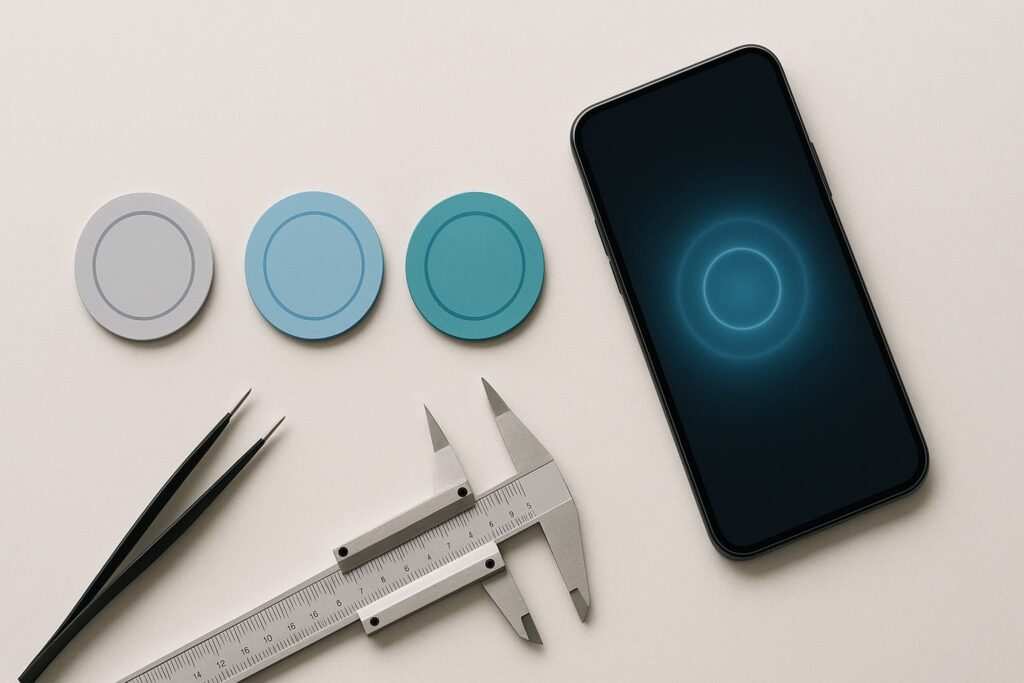
The cost of implementing NFC solutions primarily stems from the purchase of NFC tags. These tags vary in price based on type (e.g., sticker, card, embedded chip), quantity, and features (e.g., memory, encryption capabilities).
While individual tags can be inexpensive, costs can escalate for large-scale deployments. NFC implementation may also involve costs for specialized programming tools or services, especially for complex integrations with existing systems or custom application development.
QR code generation can be free for basic static codes, with numerous online platforms offering this service. Costs for QR codes typically arise from dynamic features, such as advanced analytics, custom branding, or the ability to update linked content, which often require a subscription to a QR code management platform.
The main physical cost for QR codes is printing them onto various materials like flyers, posters, or product packaging.
For large-scale deployments, the per-unit cost of QR codes (primarily printing) is generally significantly lower than that of NFC tags. A realistic example is a small business using free QR code generators for marketing flyers, incurring only printing costs.
A larger enterprise might invest in custom NFC tags for product authentication or interactive displays, which involves both tag purchase and potential integration costs. Consulting with technology providers can help clarify specific costs for tailored solutions.
As a rule of thumb: If budget is a primary constraint for mass deployment, QR codes offer a more economical entry point. If the desired user experience is a premium, instant, and contactless interaction, and the budget allows, NFC provides a compelling solution.
Longevity and Future-Proofing
Considering these implementation factors, it’s also important to look at the long-term viability of both technologies.
In the current digital landscape, both NFC and QR code technologies are well-established and continue to be widely adopted across various industries. Their relevance has only grown, particularly in the wake of increased demand for contactless interactions.
The ubiquity of smartphones with cameras ensures QR codes remain highly accessible and relevant. Nearly every smartphone user can scan a QR code, making it a universal tool for linking digital content. This broad compatibility guarantees its continued presence in marketing, information sharing, and public services.
NFC technology continues to evolve, with increasing integration into smart devices and new applications in areas like digital identity, smart cities, and enhanced user experiences. Its seamless, tap-and-go nature aligns with the growing consumer preference for effortless interactions.
While some older or budget smartphones may lack NFC hardware, its presence is standard in most modern devices, ensuring a strong user base.
The pandemic significantly accelerated the adoption of both technologies for contactless interactions, solidifying their place in modern business practices. This widespread acceptance suggests both will remain vital tools for the foreseeable future.
To future-proof your digital linking strategy, ensure that the digital content linked by either technology is regularly updated and maintained. Relying on dynamic links that can be modified without altering the physical code or tag is a key strategy for long-term relevance.
Troubleshooting Common Issues
Even with robust and future-proof technologies, users may encounter issues. Knowing how to troubleshoot common problems can save time and ensure a smooth user experience.
NFC Troubleshooting:
- Tag Not Reading: If an NFC tag is not reading, first ensure the device’s NFC function is enabled in its settings. Then, confirm that the phone is placed directly over the tag, typically near the top or center of the phone’s back, depending on the model.
- Interference: Phone cases, especially thick metallic ones, can sometimes interfere with NFC signals. Try removing the case to see if it resolves the issue.
- App Conflicts: If tapping an NFC tag opens the wrong app, you may need to reset NFC app preferences in your phone’s settings.
QR Code Troubleshooting:
- Code Fails to Scan: For QR codes that fail to scan, check for sufficient lighting in the environment. Ensure the code is not damaged, torn, or distorted. Clean the phone’s camera lens, as smudges can impair scanning.
- Outdated App: An outdated QR code reader app or a camera app without built-in QR scanning capabilities can also cause issues. Ensure your camera app is updated or download a reputable third-party QR scanner.
- Broken Link: A common mistake is linking to a broken or expired URL. Always verify the linked content is active and correct by manually typing the URL into a browser.
- Poor Quality Code: If a QR code is consistently failing across multiple devices, try regenerating it with a different generator or ensuring the printed quality (size, contrast, error correction) meets best practices.
For both technologies, if the issue persists, testing with multiple devices can help determine if the problem lies with the tag/code itself or the scanning device.
Conclusion: Making the Right Digital Connection
Ultimately, making the right digital connection for your business involves weighing these factors. The decision between NFC and QR codes for business applications hinges on balancing user experience, cost, scalability, and specific interaction goals.
Both technologies offer distinct advantages, making them valuable tools for modern businesses looking to create seamless digital connections.
NFC excels in delivering a seamless, premium, and instant tap-and-go experience. It’s ideal for close-proximity interactions where a modern brand image and effortless user journey are paramount. Think of contactless payments, quick information access on product displays, or innovative business cards.
QR codes, on the other hand, offer unparalleled versatility, cost-effectiveness for mass deployment, and broad compatibility. Their visual nature and scan-from-a-distance capability make them suitable for diverse marketing campaigns, event information, and general information-sharing needs where universal accessibility is key.
Many businesses find significant value in a hybrid approach, utilizing both technologies to maximize reach and cater to varied user preferences. By incorporating both an NFC chip and a QR code on a single item, such as a business card, you can ensure that every potential interaction is covered, regardless of the user’s device or preference.
Ultimately, the most effective digital linking strategy aligns with your target audience’s habits and the specific context of the interaction you wish to facilitate. By carefully considering the strengths of NFC and QR codes, businesses can make informed decisions that enhance engagement and streamline operations.

Meet Oladepo Babatunde, a technical writer and researcher who makes digital business cards easy to use in the real world. As the founder of CardAdviceHub.com, Oladepo turns tap‑to‑connect tech into clear, reliable workflows—covering NFC/QR setup, troubleshooting, platform comparisons, and practical design tips. He draws on a Higher National Diploma in Computer Science and more than a decade of writing experience since 2014 to test cards, apps, and accessories hands‑on, then share step‑by‑step guides with screenshots, checklists, and templates you can follow in minutes. When he’s not filming tutorials, he’s building resources that help solo creators and teams launch faster—no code required. CardAdviceHub focuses on informational how‑tos and does not publish financial advice.
Areas of focus: NFC tags and chips (NTAG213/215/216), iPhone/Android setup, QR best practices, platform integrations (Sheets, HubSpot, Zapier), event signage and accessories.
How I test: Real devices, repeated tap/read tests with different cases/materials, screenshots and videos for every step, and “first‑try” reliability checks.
Editorial standards: Every how‑to is reproducible, updated when apps change, and clearly labels any affiliate relationships. No financial advice.
Contact: info@cardadvicehub.com (or contact us)